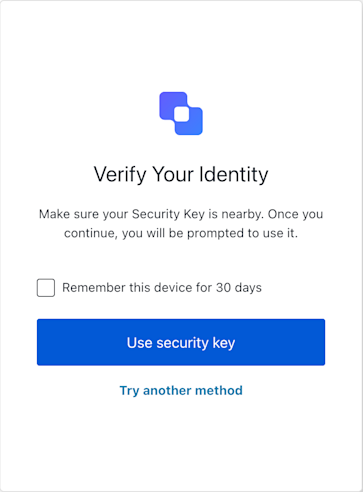
The ResetPasswordMfaWebAuthnRoamingChallenge class implements the reset-password-mfa-webauthn-roaming-challenge screen functionality. This screen prompts the user to verify their identity using a roaming security key (such as a FIDO2 USB key) as part of the MFA step during a password reset flow.
Create an instance of ResetPasswordMfaWebAuthnRoamingChallenge screen manager
Example
// In your UI component for the reset-password-mfa-webauthn-roaming-challenge screen:const sdk = new ResetPasswordMfaWebAuthnRoamingChallenge();async function handleSecurityKeyAuth() { try { const userWantsToRemember = document.getElementById('remember-device-checkbox')?.checked || false; await sdk.useSecurityKey({ rememberDevice: sdk.screen.showRememberDevice && userWantsToRemember }); // On success, Auth0 typically handles redirection. } catch (err) { console.error("Security key authentication failed:", err); // If it's a WebAuthn API error, report it to Auth0 if (err.name && err.message) { // Basic check for DOMException-like error try { await sdk.showError({ error: { name: err.name, message: err.message } }); } catch (reportError) { console.error("Failed to report WebAuthn error:", reportError); } } // Update UI to inform the user, e.g., "Security key verification failed. Please try again." // Also check `sdk.transaction.errors` if the page might have reloaded with an error message from the server. }}
This method initiates the WebAuthn security key challenge and submits the resulting credential to complete the MFA step during the password reset flow. If the browser throws a WebAuthn API error (such as user cancellation), catch the error and call showError to notify Auth0.
Example
// In your UI component for the reset-password-mfa-webauthn-roaming-challenge screen:const sdk = new ResetPasswordMfaWebAuthnRoamingChallenge();async function handleSecurityKeyAuth() { try { const userWantsToRemember = document.getElementById('remember-device-checkbox')?.checked || false; await sdk.useSecurityKey({ rememberDevice: sdk.screen.showRememberDevice && userWantsToRemember }); // On success, Auth0 typically handles redirection. } catch (err) { console.error("Security key authentication failed:", err); // If it's a WebAuthn API error, report it to Auth0 if (err.name && err.message) { // Basic check for DOMException-like error try { await sdk.showError({ error: { name: err.name, message: err.message } }); } catch (reportError) { console.error("Failed to report WebAuthn error:", reportError); } } // Update UI to inform the user, e.g., "Security key verification failed. Please try again." // Also check `sdk.transaction.errors` if the page might have reloaded with an error message from the server. }}
This method reports a browser-side WebAuthn error to Auth0, such as user cancellation (NotAllowedError) or a timeout from navigator.credentials.get().
Example
// In your UI, after catching an error from `sdk.useSecurityKey()` or `navigator.credentials.get()`:if (webAuthnError instanceof DOMException) { await sdk.showError({ error: { name: webAuthnError.name, message: webAuthnError.message }, rememberDevice: userWantsToRemember // if applicable });}
This method allows the user to select a different MFA method to complete the challenge.
Example
// When the user clicks a "Try Another Way" button:await sdk.tryAnotherMethod({ rememberDevice: userWantsToRemember });// Auth0 handles redirection to the MFA selection screen.